FastLog — Analyze large log files in seconds
A downloadable tool for Windows
🔍 FastLog — fast CLI log analyzer for huge files (Windows)
FastLog is a high-performance command-line log analyzer designed for developers who work with large log files and don’t want to open them in slow or crashing text editors. It lets you quickly inspect, filter, and summarize logs directly from the terminal — even when files are hundreds of megabytes or more.
FastLog is available in Free and Pro versions.
🆓 Free version (included)
The free version is perfect for quick inspection and everyday debugging:
Show top 50 results
Single-threaded processing
Basic filtering and analysis
Windows native binary
No installation, no dependencies
You can download and use the free version without any registration.
⭐ Pro version (paid)
Upgrade to FastLog Pro if you work with large logs regularly or need deeper analysis:
Unlimited results (no Top-50 limit)
Multi-threaded processing for maximum speed
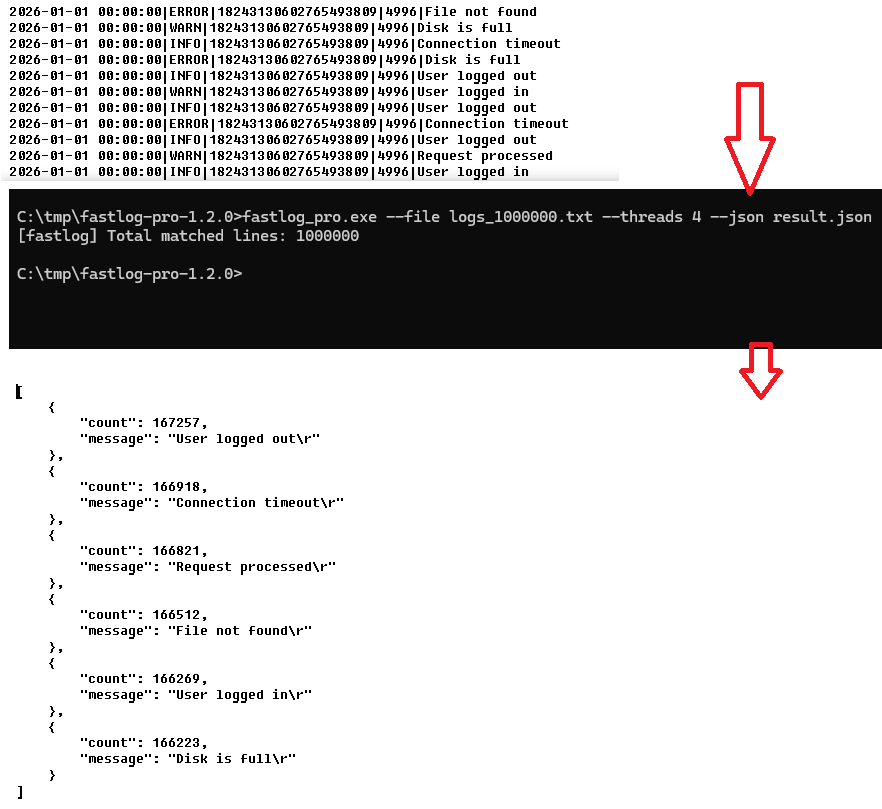
Export results to JSON
Designed for multi-GB log files
Priority updates and future features
⚙️ Download & Install
Download the FastLog ZIP archive
Extract it to any folder
Run fastlog.exe from Command Prompt or PowerShell
Example:
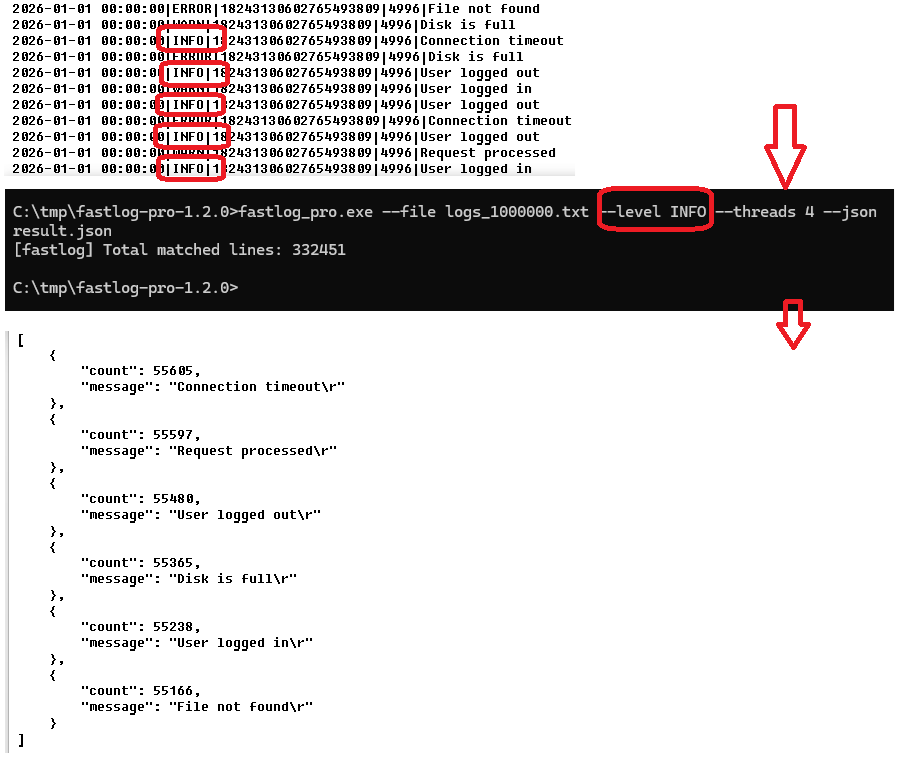
fastlog analyze server.log --level ERROR
No installation required. No external libraries needed.
💡 Why FastLog?
Avoid opening huge logs in Notepad++ or IDEs
Get results in seconds, not minutes
Script-friendly CLI tool
Built for performance and simplicity
If FastLog saves you time, consider upgrading to the Pro version to remove limits and support development.
Purchase
In order to download this tool you must purchase it at or above the minimum price of $5 USD. You will get access to the following files:
Download demo
Development log
Leave a comment
Log in with itch.io to leave a comment.